
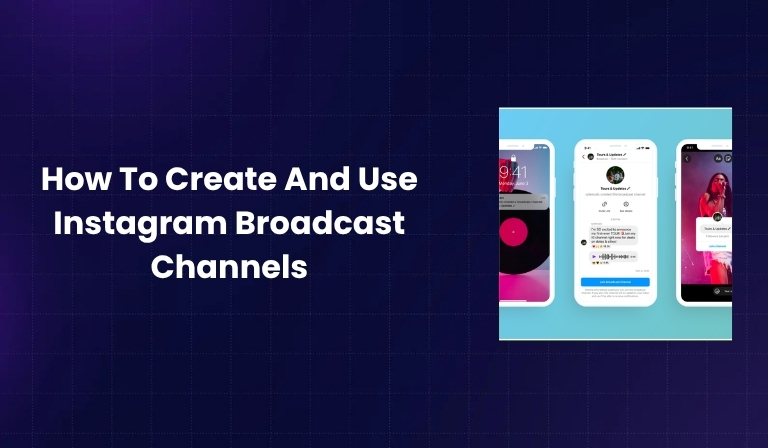

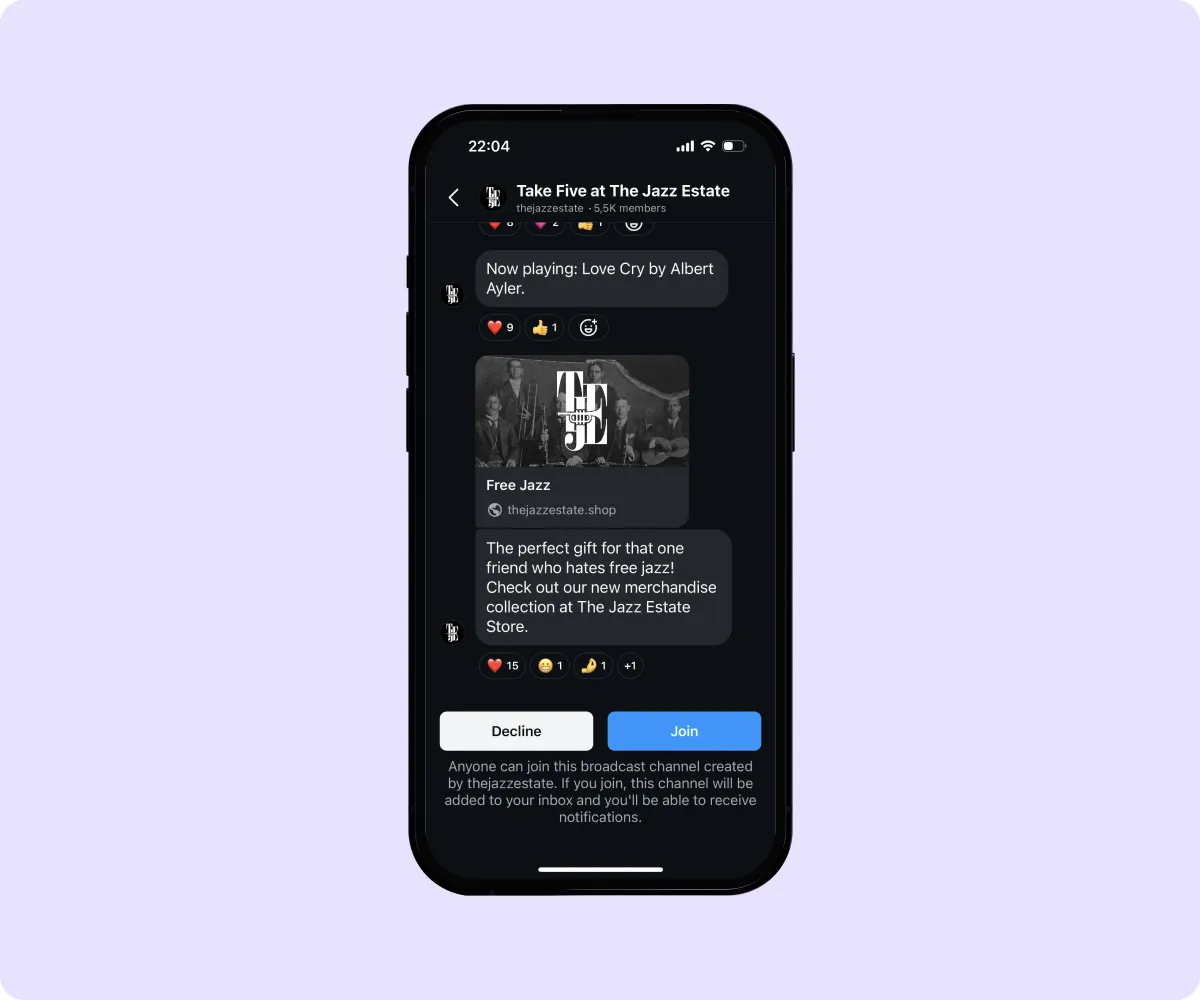
Instagram Broadcast Channels are a powerful way for creators and brands to share updates, announcements, and exclusive content directly with their followers. These channels function like a one-way group chat—only the channel owner can send messages, while followers can react but not reply.
Understanding the Concept
Instead of relying on Instagram’s algorithm to reach your followers, broadcast channels allow your messages to land straight in your audience’s DMs. It’s a direct and personal way to build stronger relationships.
Key Features of Broadcast Channels
- One-to-many communication (creator to followers)
- Supports text, photos, videos, polls, and voice notes
- Reactions from followers allowed (no replies)
- Notifications sent to followers when a new message is posted
Difference Between Broadcast Channels and Group Chats
In a group chat, everyone can talk. In a broadcast channel, only the creator can send content. This keeps the channel focused, organized, and easy to follow.
Why Instagram Broadcast Channels Matter in 2025
As we move toward more personalized and private content sharing on social platforms, Instagram broadcast channels offer a modern solution for creators and marketers.
Direct Communication with Followers
You don’t have to worry about beating the algorithm. Your updates go straight to your audience’s inbox.
Rising Trend of Private Messaging and Community Building
People are more interested in meaningful, small-scale interactions. Broadcast channels make followers feel like insiders, which builds trust and loyalty.
Increasing Engagement and Exclusivity
By offering content that isn’t available elsewhere, you create a sense of exclusivity. This makes followers more likely to stick around and engage.
Benefits of Using Instagram Broadcast Channels
Boost Follower Loyalty with Exclusive Updates
Followers who feel like they’re part of a private club are more likely to stay loyal. Share sneak peeks, unreleased content, or early access links.
Share Announcements, Voice Notes, and Polls
Whether it’s a product launch, event update, or simply a motivational message, you can share it all in a unique and engaging way.
Improve Influencer-Brand Communication
Influencers can use channels to quickly update followers about new brand deals or discount codes.
Use Channels to Test New Content Formats
Try out new styles, messages, or creative approaches with your core audience before publishing to the wider feed.
Drive More DMs and Conversation Starters
Even though followers can’t reply in the channel, they can start a separate conversation based on your update—perfect for generating engagement and leads.
Instagram Broadcast Channel Requirements
Who Is Eligible to Create a Broadcast Channel?
Instagram Broadcast Channels are mainly available to:
- Creators and public figures
- Business or professional accounts
- Verified profiles (blue checkmark or Meta Verified)
- Users with a strong engagement history
Location, Verification, or Follower Criteria
In some regions, this feature may be limited. Instagram may also require a certain follower count or engagement level before granting access.
How to Check Your Eligibility
To find out if you can create a channel:
- Open Instagram and tap the paper plane icon (DMs).
- Tap the “+” icon in the top right.
- If you see “Create Broadcast Channel”, you’re eligible.
If not, consider switching to a professional or creator account, or check back later as Instagram continues rolling it out.
How To Create an Instagram Broadcast Channel (Step-by-Step)
Creating a broadcast channel is easy and takes only a few minutes. Here’s how to do it:
Step 1: Open Your Instagram DMs
- Open the Instagram app and tap the paper plane icon in the top-right corner to go to Direct Messages (DMs).
- This is where all your private chats and channel options live.
Step 2: Tap “Create Broadcast Channel”
- In the DM screen, tap the “+” icon (New Message).
- From the list of options, choose “Create Broadcast Channel.”
- If you don’t see this option, your account might not be eligible yet.
Step 3: Name and Customize Your Channel
- Choose a clear and memorable name for your channel. For example:
- “Behind the Scenes with [Your Name]”
- “Weekly Tips from [Brand Name]”
- You can also:
- Add a channel description
- Select your audience (all followers, paid subscribers, or close friends)
- Choose whether the channel is visible in your profile
Step 4: Choose Your Audience
- Decide who can access your channel:
- All followers (default option)
- Paid subscribers for exclusive content
- Close friends for private, limited access
This step is important for setting the tone and exclusivity level of your channel.
Step 5: Launch Your Broadcast Channel
- After customizing everything, hit “Create Channel.”
- Your followers will get a notification inviting them to join.
- You can also share the invite link in your Stories, Reels, or bio.
Once launched, you can start sending updates immediately!
How To Use Instagram Broadcast Channels Effectively
Now that your channel is live, let’s look at how to get the most out of it.
Share Regular Updates to Keep Users Engaged
Keep your channel active with:
- Daily or weekly updates
- Reminders about events or sales
- Motivational quotes or tips
Consistency is key. Don’t let the channel go quiet for too long.
Use Voice Notes and Polls for a Personal Touch
- Voice messages feel intimate and real—they let your personality shine.
- Use polls to ask for feedback, opinions, or preferences. This builds a two-way connection even in a one-way channel.
Segment Topics with Multiple Channels
Create separate channels for different types of content. For example:
- One for product updates
- One for lifestyle tips
- One for event announcements
This helps followers subscribe only to the content they care about most.
Promote New Content, Offers, or Events
Use the channel to drive traffic to:
- YouTube videos
- Product launches
- Blog posts
- Giveaways or contests
Tips To Grow With Instagram Broadcast Channels
Collaborate with Other Creators or Brands
Cross-promote your channel with other influencers or partner brands. You can even do takeover days where someone else shares on your channel.
Promote Your Channel Through Stories and Reels
Always remind people your channel exists. Create teaser videos or countdowns to build curiosity.
Use Call-To-Action (CTA) Buttons to Increase Joins
In your Stories, say:
- “Want more tips like this? Join my broadcast channel!”
- “Only my channel members get the early discount—tap to join!”
Track Engagement Metrics and Feedback
Pay attention to:
- How many followers join the channel
- Which types of messages get the most reactions
- Poll responses
Use this data to improve and tailor your content.
How Can Followers Join a Broadcast Channel?
Via DMs or Channel Invites
Once a creator starts a channel, Instagram sends an automatic invite to all eligible followers.
Through Stories or Shared Links
You can also promote your channel using:
- Instagram Story stickers
- Swipe-up links (if available)
- Channel invite link in your bio or captions
What Happens After They Join?
Followers can:
- View all messages and updates
- React with emojis
- Get notified when you post something new
They can also mute or leave the channel anytime—so keep your content valuable!
Instagram Broadcast Channels vs Other Community Tools
Comparison with Stories, Close Friends, and Subscriptions
| Feature | Broadcast Channel | Stories | Close Friends | Subscriptions |
| Visibility | DM inbox | Feed/Stories tab | Stories tab | Subscribers only |
| Monetization Option | Indirect | No | No | Yes |
| Audience Interaction | Reactions only | Replies/Reactions | Replies | Replies/Comments |
| Content Type | Text, voice, polls | Photos/videos | Photos/videos | Premium content |
When To Use Which Feature
- Use Broadcast Channels for focused updates
- Use Stories for quick, frequent engagement
- Use Close Friends for test content or sneak peeks
- Use Subscriptions for paid, high-value content
FAQs About Instagram Broadcast Channels
1. Why Can’t I Create a Broadcast Channel?
You may not meet Instagram’s eligibility requirements or the feature may not yet be available in your country.
2. Can I Remove Someone From My Broadcast Channel?
Yes. You can manage your audience under the channel settings and remove users if needed.
3. Can I Monetize a Broadcast Channel?
Not directly. But you can use it to promote paid products, affiliate links, or subscription content.
4. How Often Should I Post Updates?
At least 2–3 times per week to keep your audience engaged. Avoid overwhelming them with too many posts.
5. Is There a Limit on the Number of Followers?
No specific limit. The more followers, the better—just make sure your content remains relevant and valuable.
Final Thoughts
Instagram Broadcast Channels are one of the most exciting features in 2025 for creators and marketers. They allow for direct, engaging, and exclusive communication—something that’s becoming more important as social media evolves.
If you want to build a loyal fan base, promote your brand more effectively, or just stay ahead of the curve, broadcast channels are a must-use tool.