


Duplicate content can harm your website’s performance in search results. When multiple URLs show the same or similar content, search engines may get confused about which version to index or rank. That’s where canonical tags and 301 redirects come in.
Both are powerful tools in SEO used to guide search engines and consolidate link authority. However, they serve different purposes and work in different ways. In this blog, we’ll explain the key differences between canonical tags and 301 redirects, when to use each, and how they impact your SEO.
What Is a Canonical Tag?
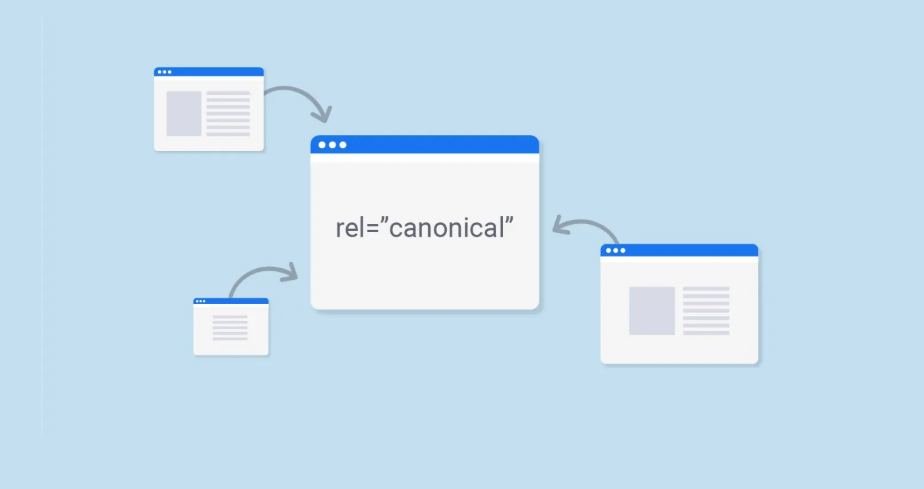
A canonical tag is an HTML element (<link rel=”canonical”>) used to tell search engines which version of a URL you consider the “master” or preferred version. It helps solve duplicate content issues without redirecting users.
How It Works:
When multiple URLs display the same or very similar content, you can place a canonical tag on those pages pointing to the main version. Search engines will understand that the preferred version should be indexed and ranked.
Example:
<link rel=”canonical” href=”https://www.example.com/main-article” />
This tells Google that https://www.example.com/main-article is the primary version, even if users land on another version.
Common Use Cases:
- Product pages with different sorting/filtering parameters
- Print-friendly versions of content
- Syndicated or republished articles
- Duplicate content across mobile and desktop versions
What Is a 301 Redirect?
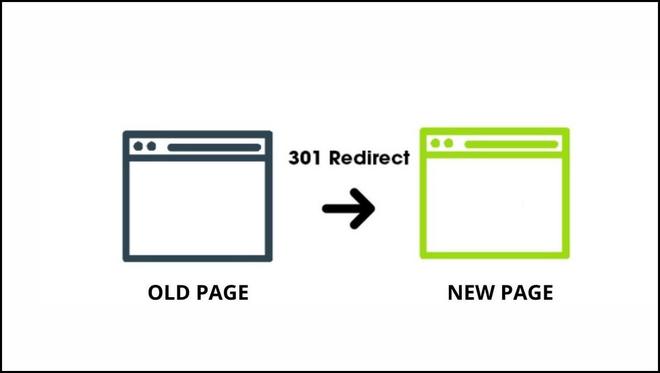
A 301 redirect is a permanent redirect that tells both browsers and search engines that a URL has moved to a new address. When someone or a search engine visits the old URL, they’re automatically taken to the new one.
How It Works:
301 redirects pass most of the link equity (SEO value) from the old URL to the new one. They are server-side instructions and affect both human users and search bots.
Example (Apache server):
Redirect 301 /old-page https://www.example.com/new-page
Common Use Cases:
- Website migration or domain change
- Fixing broken or outdated URLs
- Merging duplicate pages into a single URL
- Redirecting HTTP to HTTPS
Canonical Tag vs 301 Redirect: Key Differences
| Feature | Canonical Tag | 301 Redirect |
| Type | HTML tag | Server-side redirect |
| Purpose | Consolidate duplicate URLs | Redirect to new URL |
| User Impact | User stays on same URL | User is redirected |
| Link Equity | Shared across versions | Passed to new URL |
| Indexing | Search engines choose preferred | Old URL is removed from index |
| Visibility | Not visible to users | Redirect is visible |
| Use Case | Similar content across pages | Permanent page move |
When to Use a Canonical Tag
Use a canonical tag when you want to signal to search engines which page version is preferred, but you don’t want to redirect users.
Best Scenarios:
- E-commerce variants: Color or size variations with different URLs
- Tracking parameters: URLs with UTM tags or session IDs
- Pagination: Use canonical to the main category page
- Content syndication: Point canonical to the original publisher
Using canonical tags helps you keep multiple versions live while guiding search engines to the right one to rank.
When to Use a 301 Redirect
Use a 301 redirect when a URL is permanently changed or no longer relevant, and you want to pass SEO value to a new URL.
Best Scenarios:
- Website migrations: Changing domain or site structure
- Merging content: Combining two similar blog posts into one
- Broken URLs: Redirecting deleted pages to relevant ones
- Switching protocols: From HTTP to HTTPS
A 301 redirect tells search engines: “This content has moved — use the new address.”
Can You Use Canonical Tags and 301 Redirects Together?
Yes, in some cases, you may combine both strategies. For example, if you have multiple similar URLs but only want one indexed and you’re in the process of cleaning up URLs, you might first apply a canonical tag and then implement a redirect later.
However, avoid using both at the same time on the same page, as it can send mixed signals. Stick to one clear instruction per URL when possible.
SEO Best Practices for Both
To ensure proper implementation and avoid SEO issues, follow these best practices:
For Canonical Tags:
- Always use absolute URLs (not relative)
- Place the tag in the <head> section
- Avoid pointing to non-indexable or broken URLs
- Canonicalize paginated content carefully
For 301 Redirects:
- Avoid redirect chains (A → B → C)
- Keep redirects relevant (don’t redirect unrelated content)
- Update internal links to point to the final destination
- Use 301, not 302, for permanent changes
Tools to Check:
- Google Search Console (Coverage reports)
- Screaming Frog SEO Spider
- Ahrefs or SEMrush (for broken links and redirect mapping)
Common Mistakes to Avoid
Here are a few pitfalls you should steer clear of:
Canonical Tag Mistakes:
- Setting self-referencing canonical tags incorrectly
- Pointing all pages to the homepage
- Using canonical tags to fix crawl errors (use redirects instead)
301 Redirect Mistakes:
- Redirecting all old pages to homepage (bad for UX & SEO)
- Using 302 (temporary) instead of 301 for permanent changes
- Not updating internal links after the redirect
These mistakes can dilute your SEO efforts and lead to poor rankings or crawling issues.
Conclusion
Both canonical tags and 301 redirects are essential tools in your SEO toolbox. They help control how your content is indexed, how link equity is passed, and how users and bots experience your website.
Here’s a quick recap:
- Use canonical tags when you want to consolidate similar URLs without affecting the user experience.
- Use 301 redirects when you need to permanently move content and pass full SEO value to a new location.
Choose wisely based on your site’s structure and SEO goals, and always test your changes using SEO tools to ensure everything’s working as expected.
FAQs
1. Can Google ignore canonical tags?
Yes, if search engines believe another page is more relevant, they may choose to ignore your canonical tag.
2. Does a 301 redirect affect SEO rankings?
Yes, 301 redirects can pass most of the link equity from the old page to the new one, which helps maintain your rankings.
3. Can I use both canonical and 301 on the same page?
It’s technically possible, but it’s better to use one method per scenario to avoid conflicting instructions.
4. How long does it take for a 301 redirect to take effect?
It can take a few days to weeks for search engines to fully process and update rankings after a 301 redirect.