
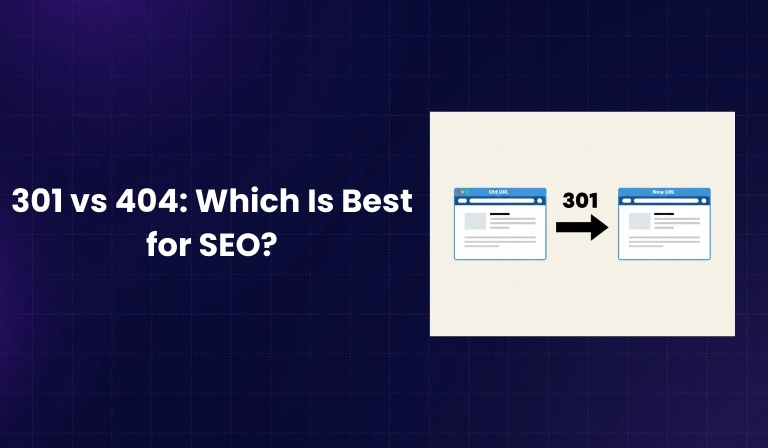

When managing a website, URLs change, pages get deleted, and content gets updated. During this process, two HTTP status codes often appear: 301 and 404. These codes tell search engines and users what happened to a page.
A 301 redirect means a page has permanently moved to a new location. A 404 error means the page cannot be found. Both are normal parts of website management, but many website owners feel confused about which one is better for SEO.
Using the wrong option can cause traffic loss, poor user experience, and wasted link authority. However, using them correctly can help preserve rankings, improve crawl efficiency, and maintain a clean website structure.
In this guide, we will clearly explain what 301 and 404 mean, how search engines treat them, when to use each one, common mistakes to avoid, and which option is best for SEO in different situations.
What Is a 301 Redirect?
A 301 redirect is an HTTP status code that tells browsers and search engines that a page has permanently moved to a new URL. When someone tries to visit the old page, they are automatically sent to the new one.
Definition of 301 Status Code
- 301 means “Moved Permanently.”
- It indicates that the old URL should no longer be used.
- Search engines update their index to replace the old URL with the new one.
How a 301 Redirect Works
- A user clicks an old link.
- The server responds with a 301 status code.
- The browser automatically loads the new URL.
- Search engines transfer signals from the old URL to the new URL.
When Search Engines Encounter a 301
- They understand the move is permanent.
- They gradually replace the old URL in search results.
- They consolidate ranking signals to the new URL.
Link Equity Transfer and Ranking Signals
- A 301 redirect passes most link equity (authority) to the new URL.
- Backlinks pointing to the old URL still benefit the new one.
- It helps preserve rankings during URL changes.
Examples of Real-Life 301 Redirect Scenarios
- Changing from HTTP to HTTPS
- Updating URL structure (example.com/blog/post-name to example.com/post-name)
- Merging two similar articles into one
- Moving to a new domain
What Is a 404 Error?
A 404 error is an HTTP status code that means a page cannot be found on the server. It does not automatically redirect users anywhere.
Definition of 404 Status Code
- 404 means “Not Found.”
- The server cannot locate the requested URL.
- The page may have been deleted or never existed.
Why 404 Errors Occur
- A page was deleted.
- The URL was typed incorrectly.
- Internal links are broken.
- A product was removed from an e-commerce store.
How Search Engines Treat 404 Pages
- Search engines understand that 404s are normal.
- If a page consistently returns 404, it will be removed from the index.
- The URL will eventually stop appearing in search results.
Difference Between Soft 404 and Hard 404
- Hard 404: The server correctly returns a 404 status code.
- Soft 404: The page looks like an error page but returns a 200 (OK) status code.
- Soft 404s can confuse search engines.
Examples of 404 Scenarios
- Deleted blog posts
- Outdated landing pages
- Expired event pages
- Removed product pages with no replacement
301 vs 404: Key Differences
Both serve different purposes and should not be seen as competitors but as tools.
Purpose
- 301: Used when content permanently moves.
- 404: Used when content no longer exists.
SEO Impact
- 301: Helps preserve rankings and authority.
- 404: Leads to removal from index over time.
User Experience Impact
- 301: Seamless transition to relevant page.
- 404: Can frustrate users if not handled properly.
Crawl Budget Implications
- 301: Requires crawling but consolidates signals.
- 404: Search engines eventually reduce crawling once confirmed.
Link Equity Handling
- 301: Passes most link equity.
- 404: Does not pass link equity.
When Each Should Be Used
- 301: When a clear replacement exists.
- 404: When no relevant replacement exists.
How 301 Redirects Affect SEO
301 redirects play a strong role in maintaining SEO performance during site changes.
Passing Link Authority
- Backlinks pointing to the old URL benefit the new URL.
- Authority signals are consolidated.
Consolidating Duplicate Content
- Redirecting similar pages into one avoids duplication.
- It strengthens one main page instead of splitting ranking signals.
Preserving Traffic from Old URLs
- Users visiting bookmarks are redirected correctly.
- Organic traffic continues flowing to the updated page.
Impact on Indexing
- Search engines update the indexed URL.
- The old URL gradually disappears from results.
Potential Risks
- Redirect chains (URL A → URL B → URL C)
- Redirect loops
- Redirecting to irrelevant pages
- Large-scale unnecessary redirects
How 404 Errors Affect SEO
404 errors are not automatically harmful. They are a normal part of website maintenance.
Do 404 Errors Hurt Rankings?
- A few 404 pages do not harm overall rankings.
- Search engines expect some level of 404s on websites.
Impact on Crawl Budget
- Initially, search engines check the URL multiple times.
- After confirmation, crawling frequency reduces.
Effect on Backlinks
- If a deleted page has strong backlinks, authority is lost.
- No equity transfer happens without a redirect.
User Behavior Signals
- Users may leave the site quickly if they hit a dead end.
- Poor experience can increase bounce rate.
When 404 Is Completely Normal and Healthy
- Removing outdated low-quality content
- Cleaning up thin pages
- Eliminating expired campaigns
When to Use a 301 Redirect
A 301 should be used strategically and only when there is a relevant replacement.
Page Permanently Moved
- URL structure change
- Content reorganized
URL Structure Changes
- Category restructuring
- Slug optimization
Domain Migration
- Moving from olddomain.com to newdomain.com
- Rebranding cases
Merging Similar Pages
- Combining overlapping blog posts
- Removing duplicate service pages
Fixing Broken URLs with Strong Backlinks
- Recovering lost authority
- Redirecting high-value pages properly
When to Keep a 404 Page
Not every deleted page needs a redirect.
Deleted Product with No Replacement
- Outdated inventory
- Discontinued models
Expired Campaigns
- Limited-time offers
- Seasonal promotions
Thin or Low-Quality Content Removal
- Content pruning
- Removing irrelevant pages
Intentional Content Cleanup
- Website simplification
- Removing unnecessary pages
301 vs 404: Real SEO Scenarios
Practical examples help understand better.
E-commerce Product Out of Stock
- Temporary out of stock: Keep page live.
- Permanently discontinued with similar product: Use 301.
- No replacement: Keep 404.
Blog Post Deleted
- Similar updated article exists: Use 301.
- No relevant alternative: Keep 404.
Website Redesign
- URLs changed: Use 301 for mapping old to new pages.
- Removed pages without value: 404 is fine.
Domain Change
- Use 301 redirects site-wide.
- Maintain structure consistency.
Seasonal Landing Pages
- Reused yearly: Keep URL live.
- Not reused and no value: 404 is acceptable.
Best Practices for Managing 301 and 404 Pages
Proper management keeps your site healthy.
Regular Site Audits
- Identify broken links.
- Check redirect errors.
Monitoring in Google Search Console
- Track crawl errors.
- Monitor indexing status.
Creating Helpful Custom 404 Pages
- Add navigation links.
- Suggest related content.
- Maintain branding.
Maintaining Clean Redirect Maps
- Document all redirects.
- Avoid unnecessary changes.
Updating Internal Links
- Replace old URLs directly.
- Avoid internal redirects.
Final Verdict
There is no single answer to whether 301 or 404 is best for SEO. They serve different purposes and should be used based on the situation.
A 301 redirect is best when a page has permanently moved and there is a relevant replacement. It helps preserve link equity, maintain rankings, and provide a smooth user experience.
A 404 error is best when a page is intentionally removed and there is no suitable alternative. Search engines understand that websites evolve, and properly handled 404 pages are completely normal.
The smartest SEO strategy does not choose one over the other. Instead, it uses both correctly. When applied properly, 301 redirects protect valuable SEO signals, and 404 pages keep your website clean and organized.