


If you’ve ever typed a website address into your browser, you’ve probably noticed two common formats:
- www.example.com
- example.com
Some websites use the “www” prefix, while others go without it. But from an SEO perspective, does it make any difference which one you choose?
The short answer: Both can work equally well for SEO—as long as you set them up correctly. The real key is consistency and proper technical configuration.
In this guide, we’ll explore the differences between WWW and non-WWW, their impact on SEO, and how to choose the right version for your site.
Background & Technical Foundations

Before we dive into SEO, let’s break down what WWW and non-WWW really mean.
What does “www” do?
Historically, www was a subdomain used to indicate that a website was part of the “World Wide Web.” Technically speaking, www is treated as a subdomain of your root domain. This allows for:
- More flexibility in DNS configurations
- Better control over cookies for subdomains
- Easier CDN (Content Delivery Network) routing
What is a naked domain (non-WWW)?
A naked domain is simply your root domain without any subdomain—like example.com.
It’s cleaner, shorter, and easier to remember, which makes it appealing from a branding perspective. Today, many modern websites use non-WWW formats for simplicity.
SEO Considerations: WWW vs non-WWW

1. Canonicalization & Duplicate Content
If both versions of your site (www and non-www) are accessible without redirects, search engines may see them as two separate websites.
This can cause:
- Duplicate content issues
- Split link equity
- Indexing confusion
Solution: Use 301 redirects from one version to the other and set your canonical URL so search engines know which version to index.
2. Site Performance & Hosting
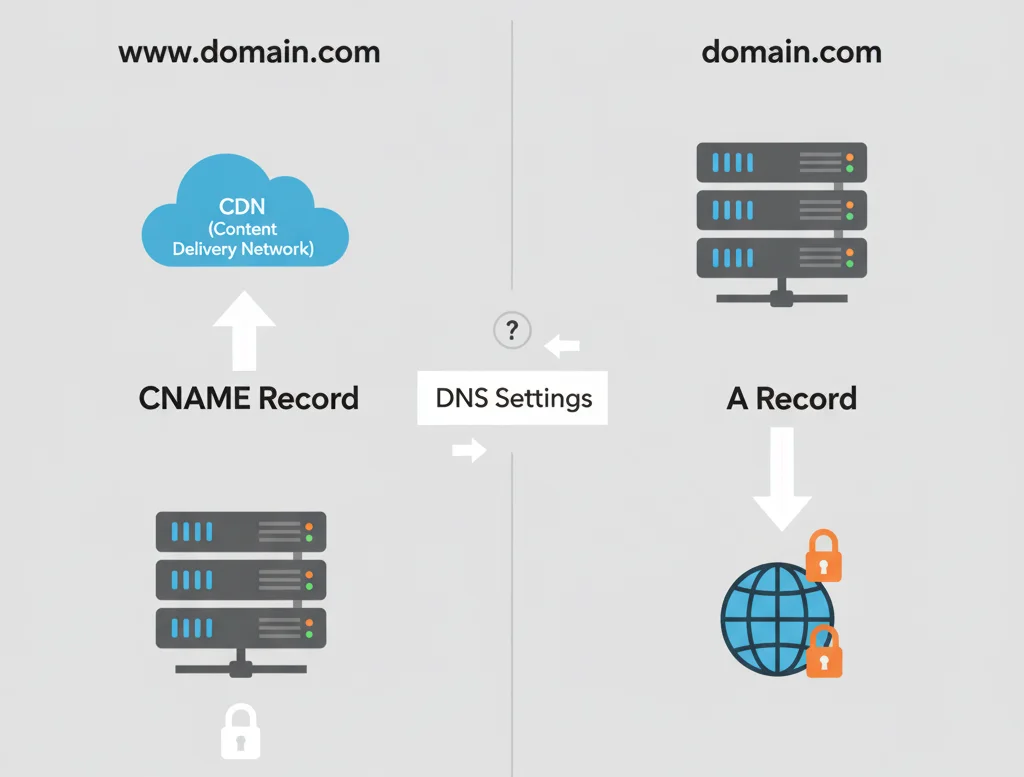
Some CDNs and hosting setups handle www domains more flexibly because they can be treated as subdomains.
With a www domain, you can:
- Distribute traffic across multiple subdomains
- Improve page load times via cookie control
- Configure advanced DNS records for large-scale sites
For most small to medium websites, this difference is minimal.
3. Cookies & Subdomain Scope
When using www, cookies can be restricted to the subdomain—meaning they don’t automatically get sent to other subdomains.
With non-WWW, cookies are often applied to the entire domain, which can:
- Cause unnecessary data transfers
- Slightly slow down performance if you run multiple subdomains
4. Branding & User Perception
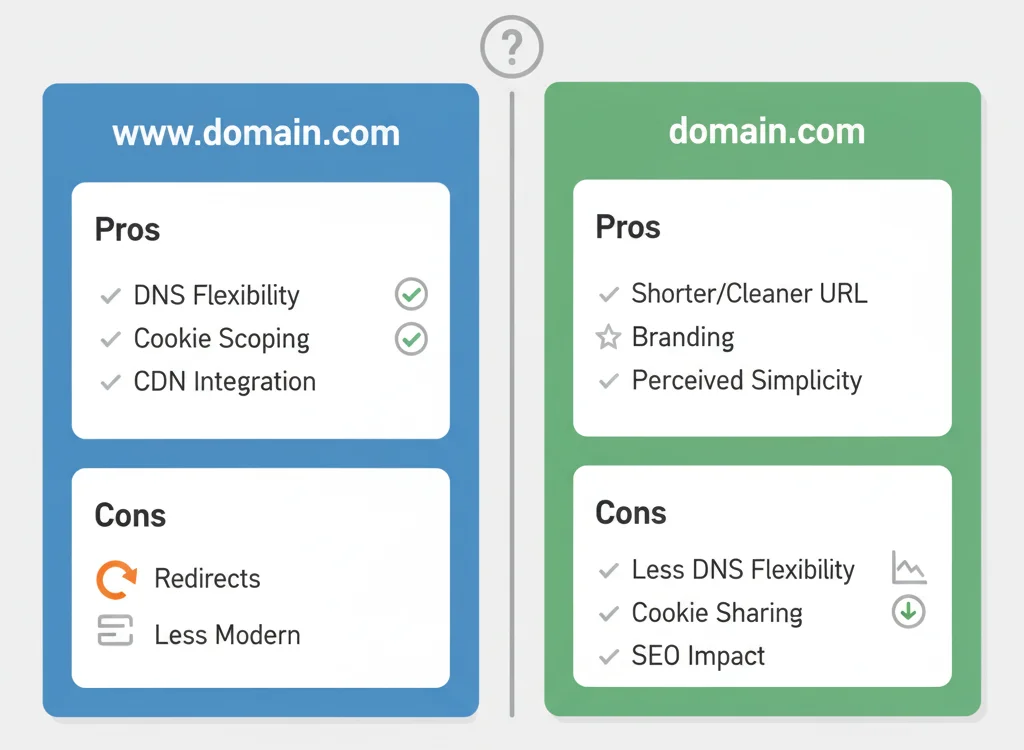
From a branding standpoint:
- WWW: More traditional, still used by many large brands (e.g., www.bbc.com)
- Non-WWW: Shorter, modern look (e.g., twitter.com)
Some argue that non-WWW domains are cleaner and easier to type, but user perception rarely affects SEO directly.
5. Redirect and Crawl Efficiency
Redirects from one version to another must be:
- 301 (permanent) redirects
- Direct (no multiple hops)
A poor redirect setup can cause redirect chains, which slow down crawling and potentially harm SEO.
Also Check: Keyword Mapping Explained: 10-Step Guide + Useful Tips
Real-World Examples
- Using WWW: www.nytimes.com, www.amazon.com
- Using Non-WWW: github.com, dropbox.com
Both perform well in SEO because their canonical versions are well-configured.
How to Choose (Step-by-Step)
Step 1: Check your current setup
Use tools like Redirect Checker to see if one version already redirects to the other.
Step 2: Pick your preferred version
Decide whether you want the www or non-www version to be your primary domain.
Step 3: Set up 301 redirects

Redirect all traffic from the non-preferred version to the preferred one.
Step 4: Update Google Search Console
Add both versions to Google Search Console and set the preferred domain.
Step 5: Update all links
Ensure internal links, sitemaps, and marketing materials point to the correct version.
Step 6: Monitor performance
Check analytics and Search Console to ensure proper indexing.
Implementation Tips & Best Practices
- Redirects: In Apache, update your .htaccess file; in NGINX, use a server block redirect rule.
- Sitemaps & Robots.txt: Only list the canonical version.
- Canonical Tags: Use <link rel=”canonical”> in your HTML head to reinforce your preferred URL.
- HTTPS: Make sure both the www and non-www versions are secured with SSL.
Myth-Busting & Common FAQs
Q: Does Google prefer WWW or non-WWW?
No. Google treats them equally as long as they are correctly set up.
Q: Will switching affect my SEO?
Not if you use proper 301 redirects and update all references.
Q: What about backlinks?
With correct redirects, backlinks to the non-preferred version will pass full link equity.
Q: Should I set my preference in Google Search Console?
Yes, it helps ensure consistent indexing.
Summary Table
| Feature / Consideration | WWW Version | Non-WWW Version |
| Technical flexibility (DNS, CDN) | High | Lower |
| Cookie scope / performance | Can limit scope to subdomain (faster) | Broader scope, possible inefficiency |
| Branding / URL simplicity | Slightly longer but traditional | Cleaner, shorter |
| Implementation complexity | Slightly more setup | Simpler—but still needs redirects |
| SEO impact (when done right) | Equal if canonicalized | Equal if canonicalized |
Conclusion
In the battle of WWW vs non-WWW, there’s no inherent SEO winner.
The most important thing is to:
- Pick one version
- Set it as your canonical domain
- Redirect all traffic from the other version
- Stay consistent across all platforms
If you follow these steps, you can choose whichever format fits your branding, technical needs, and personal preference—without worrying about losing SEO performance.

Passionate about blogging and focused on elevating brand visibility through strategic SEO and digital marketing. Always tuned in to the latest trends, I’m dedicated to maximizing engagement and delivering measurable ROI in the dynamic world of digital marketing. Let’s connect and unlock new opportunities together!